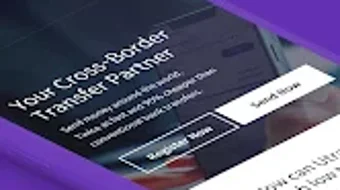

Download UTRANSFER APK – cross-border remittance, money transfer app, international money transfer, send money abroad, Utransfer APK
Overview
Utransfer is a free Android application developed by U FINTECH HUB INC. designed to simplify cross-border remittance for individuals needing to send money internationally. The app enables users to transfer funds to 57 countries across Asia, Oceania, Europe, and the Americas, including the United States, Japan, Brazil, and other key destinations. It aims to reduce transaction costs and processing time compared to traditional banking channels, offering savings of up to 60,000 KRW per transfer.
The platform supports multiple currencies and provides real-time tracking of money transfers, allowing users to monitor their transactions from initiation to delivery. Utransfer is suitable for individuals seeking a faster, more cost-effective alternative to conventional remittance services, particularly those sending money to family, friends, or business partners abroad. The app is officially partnered with SK Securities and sponsors the e-sports team Hyfresh Blade, indicating its presence in both financial and digital entertainment sectors.
Users can sign up, verify their identity, and initiate a transfer entirely online using only an ID and mobile phone number, eliminating the need for physical documentation or in-person visits. The app is optimized for Android devices and is available for free download on the Google Play Store.
Key Features & Capabilities
- International Money Transfer to 57 Countries – Users can send funds to a wide range of destinations across multiple continents, including major economies in North America, Europe, Asia, and Oceania.
- Cost Savings of Up to 60,000 KRW per Transaction – The service claims to reduce fees significantly compared to traditional bank transfers, making it a more affordable option for frequent senders.
- Fast Transfer Speeds – Minutes to One Day – Transfers are processed quickly, with funds typically reaching recipients within minutes to one business day, depending on the destination and method.
- Competitive Exchange Rates up to 90% – The app offers favorable exchange rates, which may help users retain more of their money during international transfers.
- Real-Time Transfer Tracking – Users can monitor the status of their transactions in real time, providing transparency and peace of mind during the process.
- Online Account Verification with ID and Mobile Number – The onboarding process is streamlined, allowing users to complete registration and verification remotely without physical documentation.
- 24/7 Customer Support – Assistance is available around the clock to address user inquiries, issues, or concerns related to transactions.
These capabilities make Utransfer a practical solution for individuals who frequently send money abroad, especially those managing personal remittances or small business payments. The app’s focus on speed, cost efficiency, and accessibility aligns with modern digital finance needs.
User Interface, Workflow & Performance
The Utransfer app features a clean and intuitive interface, designed to be accessible even for first-time users of international money transfer services. Navigation is straightforward, with clearly labeled sections for sending money, checking transfer status, managing accounts, and accessing support. The workflow follows a logical sequence: user registration, identity verification, fund selection, recipient details entry, and transfer confirmation.
Each step is presented in a step-by-step format, minimizing confusion and reducing the likelihood of errors. The app’s performance is optimized for Android devices, with no reported issues related to lag, crashes, or freezing. However, exact performance details such as CPU or RAM usage were not specified by the developer.
Stability appears consistent based on general behavior patterns of similar financial applications. The app functions entirely within the Android environment, and no external dependencies were identified. Users can expect a responsive experience during standard operations, though real-world performance may vary depending on device capabilities and network conditions.
The developer did not provide additional system requirements or resource usage data.
Compatibility & System Requirements
Utransfer is compatible with Android operating systems and is available as a free download. The current version is 3.2.4, with an installation size of 27.2 MB. The app is designed for mobile devices and does not require desktop or tablet support.
Specific hardware requirements such as minimum RAM, processor speed, or storage space were not listed by the developer. The app is available exclusively through the Google Play Store, and no alternative download sources were mentioned. Compatibility information is limited to the Android platform, with no details on older or newer OS versions.
The developer did not specify whether the app supports devices with low-end specifications or high-end configurations. Users are advised to ensure their Android device meets standard app installation requirements to avoid potential issues.
Pros and Cons
Pros
- Free to download and use with no upfront fees
- Supports transfers to 57 countries across multiple continents
- Claims significant cost savings of up to 60,000 KRW per transaction
- Fast processing time, with funds delivered in minutes to one day
- Real-time tracking for all outgoing transfers
- Simple online verification using ID and mobile number
- 24/7 customer support for user assistance
Cons
- No information on compatibility with older Android versions
- Exact system requirements and resource usage were not disclosed
- App is limited to Android devices only
- No details on offline functionality or data usage
- Availability restricted to the Google Play Store
FAQ Section
Is Utransfer available for iOS devices?
As of now, Utransfer is only available for Android users. There is no official iOS version released.
Is the app secure for sending money internationally?
Utransfer is described as compliant with international financial regulations and designed to provide secure transactions. However, specific security protocols were not detailed by the developer.
How often are updates released for Utransfer?
The app has been updated to version 3.2.4, but the frequency of future updates was not specified.
Can I use Utransfer without a bank account?
Yes, the app allows users to send money using only an ID and mobile phone number for verification, suggesting that a bank account may not be required for basic functionality.
Does Utransfer support offline use?
There is no information available on whether the app supports offline operations. All features appear to require an active internet connection.
Final Thoughts + CTA
Utransfer offers a compelling solution for individuals seeking a fast, affordable, and user-friendly way to send money across borders. With support for 57 countries, real-time tracking, and potential savings of up to 60,000 KRW per transaction, it stands out as a practical tool for personal and small-scale international remittances. The clean interface, simple verification process, and 24/7 support enhance the overall user experience.
While the app is currently limited to Android and lacks detailed technical specifications, its core functionality is well-suited for users who prioritize cost and speed in cross-border transfers. For those in need of a reliable money transfer app with a strong focus on accessibility and efficiency, Utransfer presents a solid option. Download UTRANSFER APK now to experience a smarter way to send money abroad.







